





The Drive desktop app will stop supporting automatic Google Photos backup starting 10 August 2026, Google confirmed. The change means that users who rely on Drive’s desktop client to sync photos and videos from their computers will no longer see new media automatically backed up to Google Photos. The company said this move is part of its effort to simplify backup tools and focus on dedicated photo management via the Photos app.
"Google Drive for desktop ends support for Google Photos backup on August 10, 2026. To stop backing up existing folders before this date, use these instructions. To continue backing up folders after this date, you must add photos & videos from Google Drive to Google Photos," Google said.
Currently, the Google Drive desktop app allows users to designate a folder on their computer to be automatically backed up to Google Photos, offering a convenient way to keep photo libraries synced to the cloud without manual uploads. From 10 August, that automatic connection between Drive for desktop and Google Photos stops working entirely. Any folders still configured for this kind of backup will no longer upload new photos or videos once the cutoff hits.
Importantly, this does not mean Google Drive or Google Photos themselves are shutting down. Regular file syncing through the Drive desktop app will continue to work exactly as before, as it is specifically the automatic bridge that pushed photos from a Drive-synced folder into Google Photos that is being removed. Google also confirmed that any photos and videos already backed up to Google Photos through this method will remain safely stored and will not be affected by the change.
For anyone who wants to keep automatic photo backups running, Google is directing users to set things up directly through Google Photos instead of via the Google Drive desktop app. There are 2 main options:
Continuous folder backup: In Google Photos, using the "+" button, users can select "Back up folders" and choose the computer folders they want backed up going forward, similar to how the Drive desktop app worked before.
Import from Drive: Users can also import photos that are already stored in their Google Drive folders directly into Google Photos.
It is important to note that unlike the old Google Drive desktop integration, backups set up through the Google Photos website only run while the Google Photos site is open in a browser, rather than happening automatically in the background, which is a change that some users may find less convenient than the setup they are replacing.
For casual users who mainly back up photos from their phones, this change will likely go unnoticed, since phone-based backups through the Google Photos app are not getting impacted. But for anyone who used a computer folder, such as images imported from a camera or scanned documents, as their primary photo backup pipeline via the Google Drive desktop app, the deadline is worth acting on now. Missing it will not delete any existing backups, but it will quietly stop new photos from being backed up until the new setup is in place.
-Times Of India
Latest News
Tupac murder trial begins for ex-gang leader
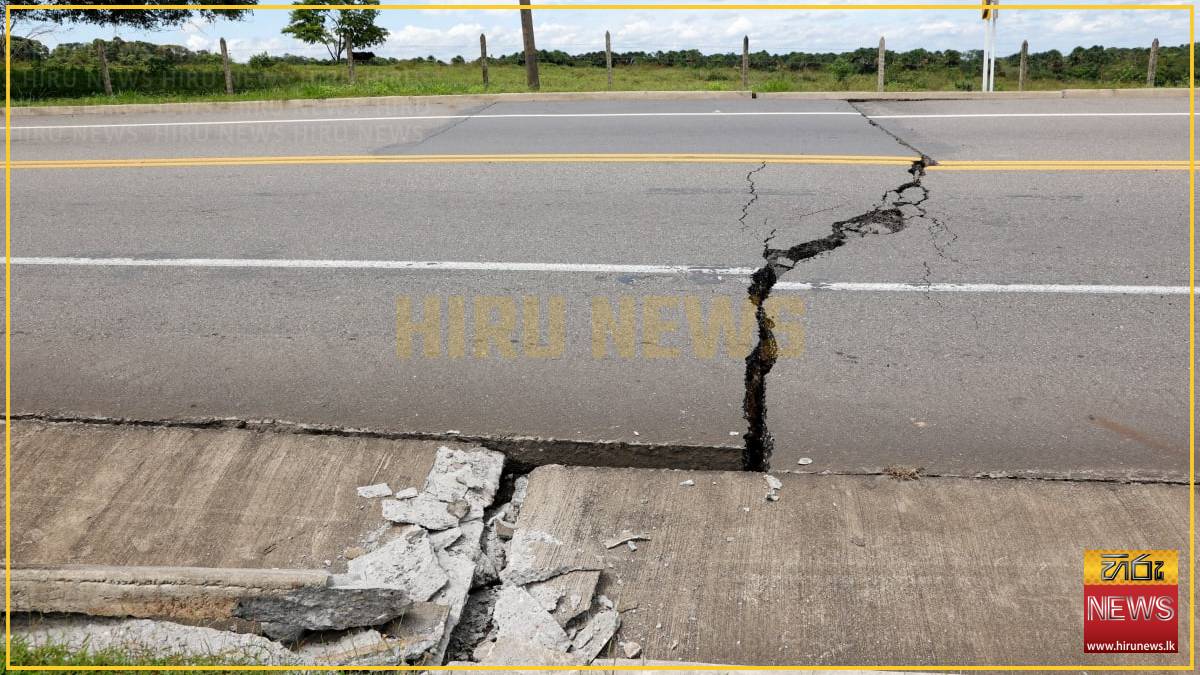
At least 20 dead after Colombia earthquake

Iran president says US, Israel used AI in attacks

Google ends automatic Photos backup via Drive
Amazon founder Bezos nears deal to buy stake in Liverpool
Colombia’s Pacific coast hit by earthquake
BBC joins new ‘Jane Eyre’ adaptation

Sri Lanka focuses on death penalty for drug crimes

Korea Week to feature Taekwondo Championship, K-Pop World Festival

“Bourse rises amid continued buying interest”